Generating a report
Creating a status report
In your uclusion.json set uclusionMDFileType to ‘report’ and uclusionMDFilePath to the path to store the status report markdown file.
   "uclusionMDFileType": "report",
   "uclusionMDFilePath": "uclusion.md"
Now running uclusionCLI.py in the same directory as your uclusion.json will produce a report like this one.
This report can be customized to show exactly the views, jobs, and bugs that are desired. By default all views and jobs display and all bugs and discussion does not. To control whether a view displays or not choose the ampersand next the view and go to settings.
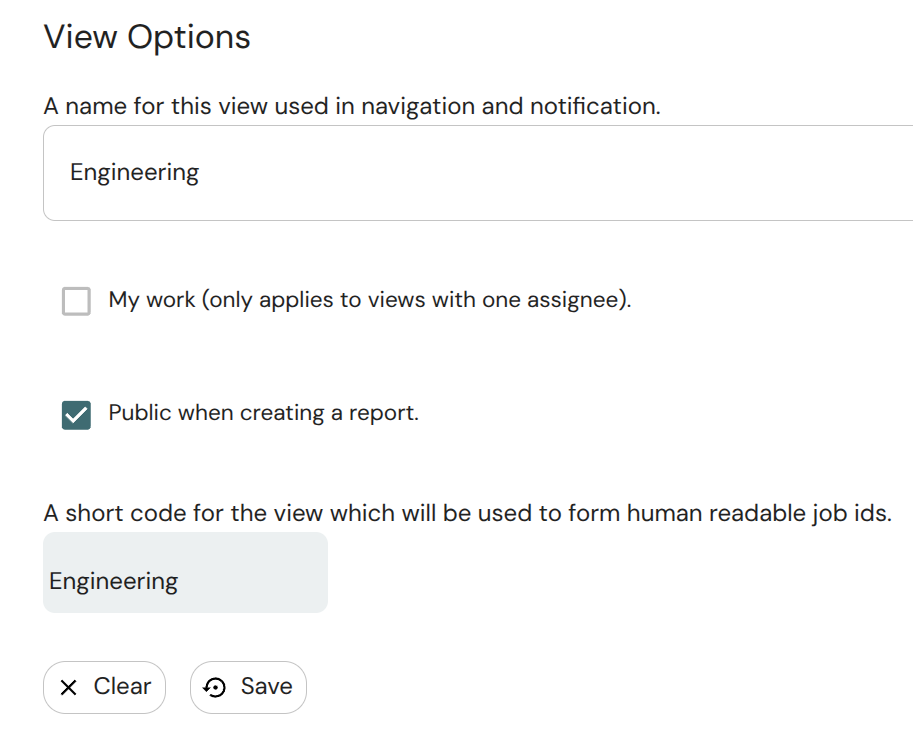
To change whether a job, bug, or discussion shows use the visible checkbox found on the job side panel or at the bottom of a bug or view level quesition or suggestion.
Export a workspace to a markdown file
Setting uclusionMDFileType to ’export’ and running uclusionCLI.py will create a markdown file with everything in a workspace.