Github Actions
Configuration
See the Readme in https://github.com/Uclusion/release-job and optionally also https://github.com/Uclusion/update-job. Their configuration uses the same CLI secrets for authentication.
Creating a commit for use with Uclusion Github actions
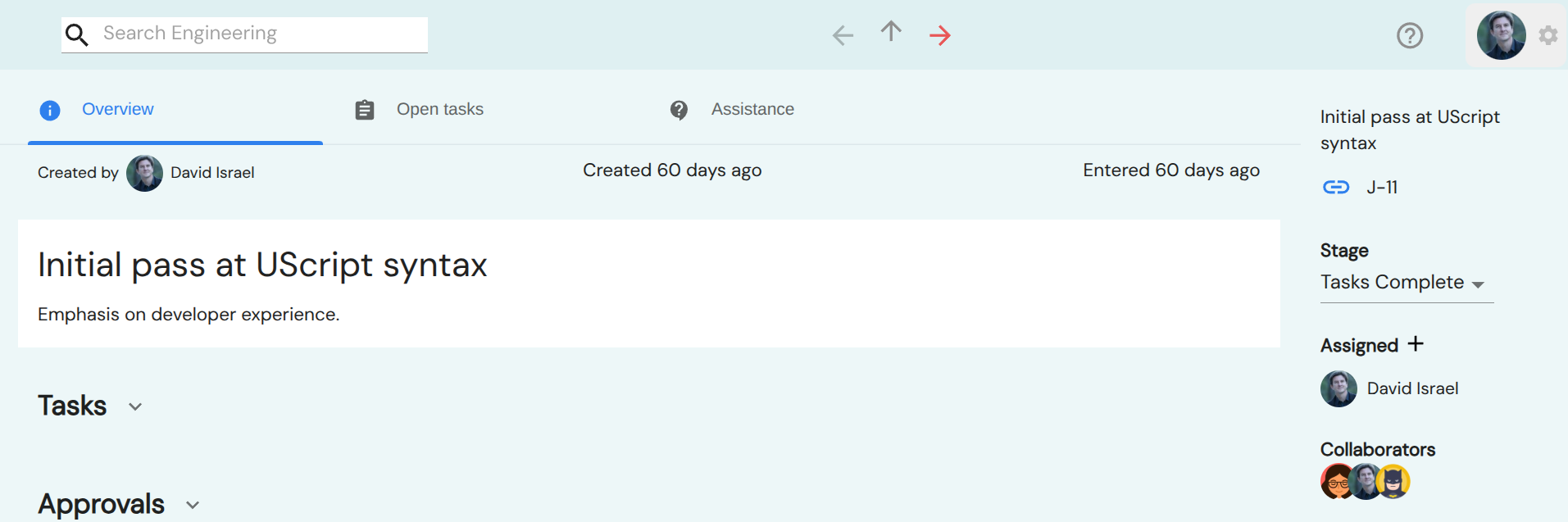
On the right nav of a job click the short code for the job. For instance, clicking J-11 below copies the text “J-Engineering-11 Initial pass at UScript syntax” onto the clipboard. Now paste into a commit message on a branch where the action is active.
Running the release-job action
When you create a release with Uclusion release-job installed a label will be applied to each job with a short code in the commits of the release. However, the commits will only be searched back as far as the workspace’s Tasks Complete display setting which defaults to 3 weeks.
Running the update-job action
When this actions finds a job short code the job will be moved to Tasks Complete stage and all of its tasks resolved.